

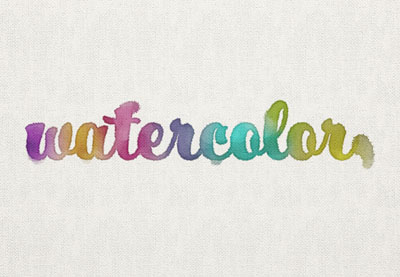
Nel tutorial che andremo a visitare viene mostrato come utilizzare un gruppo di filtri, spazzole, e livelli di regolazione per creare una semplice e colorata scritta con un bellissimo effetto acquerello utilizzando Adobe Photoshop. Un esercizio molto dettagliato e facile da seguire.
Related Posts
27
Aug2016
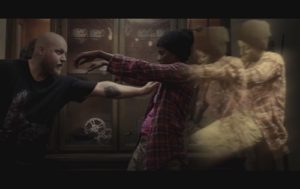
Create Ghost Effect in Adobe After Effects
In this video tutorial we will see how to create a ghost effect with Adobe After Effects. In particular, it is shown how to bring the soul out of a…
28
Sep2022
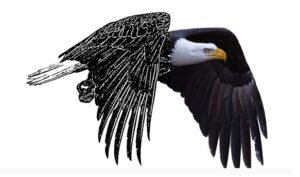
Convert any Image into Vector Graphics with Photoshop and Illustrator
This video tutorial shows you how to turn any photo into a vector graphic using Adobe Photoshop and Illustrator together. A super easy process for anyone with all skill levels…
24
Feb2017

Create a Mysterious Forest Scene in Photoshop
Il tutorial che visiteremo ci mostrerà come creare una scena di fantasia con foresta misteriosa e un cervo. In primo luogo, costruiremo la scena base con diverse immagini di foreste…
31
Oct2013
Create a Striking Matchbox in Photoshop
L’esercitazione che andremo a vedere consiste nella creazione di una illustrazione digitale in Photoshop di una scatola di fiammiferi. Verrà creato il disegno di copertina scatola di fiammiferi, l’attaccante sulla…
15
Jan2014
Poster from the Words in Photoshop – Tutorial
Volete realizzare il vostro manifesto musicale cool? Il tutorial di Photoshop che andremo a vedere vi insegnerà come farlo. Si tratta di realizzare una foto utilizzando un testo che compone…
14
Jan2014
Reforming 3D Text in Cinema 4D – Tutorial
This video tutorial demonstrates the principles of ‘breaking’ or reforming a 3D text or object with a particle swarm in Cinema 4D. We will be using the MoGraph module. A…
